Authentication
Secure your integration with BudPay's straightforward authentication system. Get your API keys, understand when to use each one, and start making authenticated requests in minutes.
Test and Live Environments
BudPay gives you two separate environments to work with:
| Environment | Purpose | When to use |
|---|---|---|
| Test Mode | Safe sandbox with no real money | Development, debugging, demos |
| Live Mode | Real transactions, real funds | Production only |
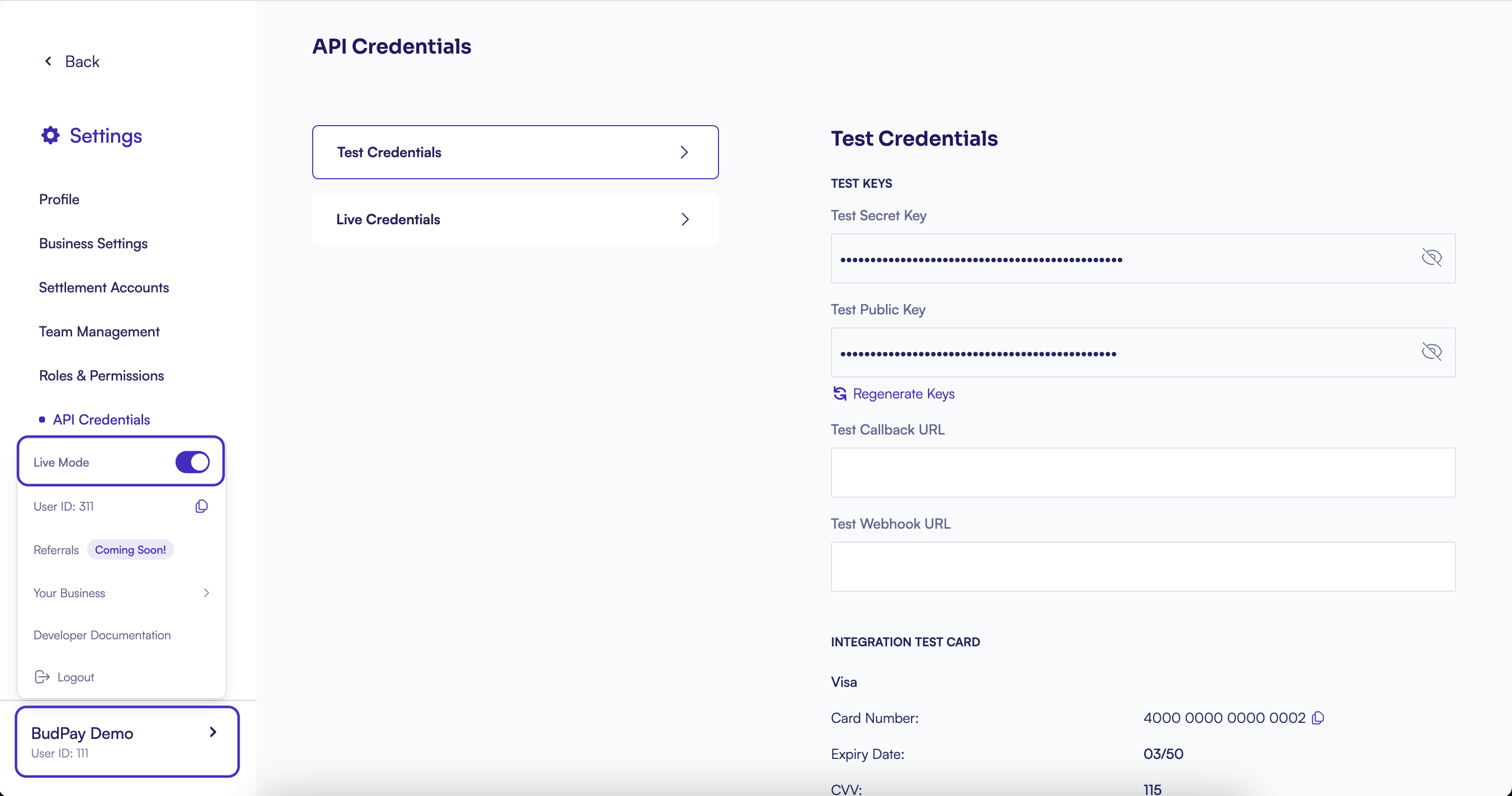
Switch between environments using the toggle at the bottom of your dashboard sidebar. Your API keys update automatically when you switch.
Test keys always include _test in the prefix, like sk_test_xxxxx. This makes it easy to confirm which environment you are working in.
Your API Keys
You have two types of keys, each with a specific purpose:
| Key | Where to use | What it can do |
|---|---|---|
| Public Key | Frontend code, mobile apps | Identify your account, initialize payments |
| Secret Key | Backend server only | Full account access, complete transactions |
Never expose your secret key in client-side code. If it runs in a browser, use the public key.
Get Your API Keys
- Log in to your BudPay Dashboard (opens in a new tab)
- Go to Settings > API Credentials
- Copy your keys
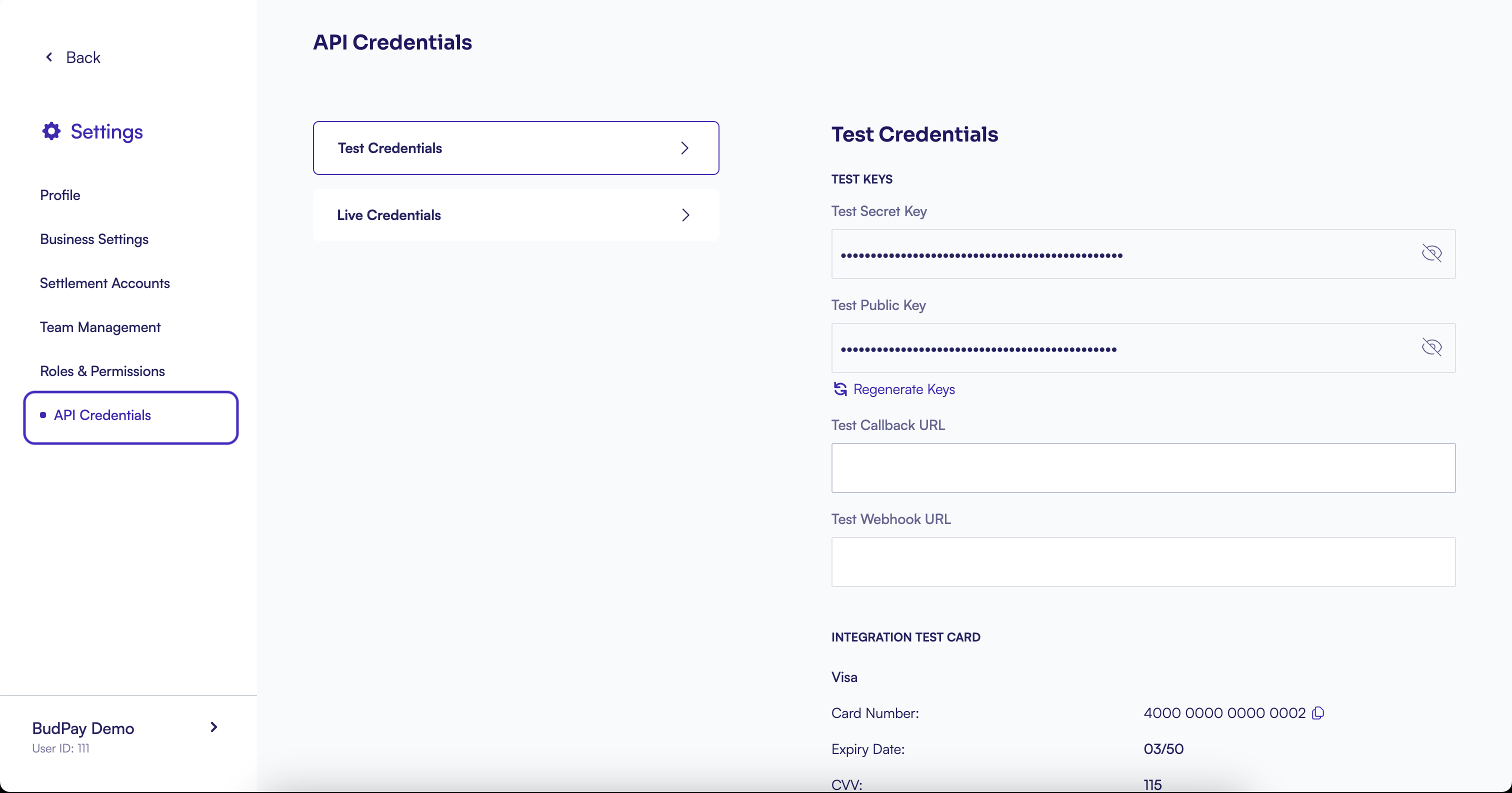
If you suspect your secret key has been compromised, regenerate it immediately from the same page. The old key will stop working right away.
Making Authenticated Requests
Include your secret key in the Authorization header of every API request:
Authorization: Bearer YOUR_SECRET_KEY
Content-Type: application/json
Missing or invalid keys return a 401 Unauthorized error:
{
    "success": false,
    "message": "Authentication failed"
}
HMAC Signature for Payouts and Bills
Payout and Bills Payment endpoints require an extra layer of security: HMAC-SHA-512 signature authentication.
Why HMAC?
The signature verifies two things:
- Authentication: The request comes from you
- Integrity: The payload has not been tampered with
Required Headers
Authorization: Bearer YOUR_SECRET_KEY
Encryption: YOUR_HMAC_SIGNATURE
Content-Type: application/json
Generate the Signature
Create an HMAC-SHA-512 hash of your request body using your secret key:
const crypto = require('crypto');

const payload = JSON.stringify({
    // your request body
});

const signature = crypto
    .createHmac('sha512', 'YOUR_SECRET_KEY')
    .update(payload)
    .digest('hex');
import hmac
import hashlib
import json
payload = json.dumps({
# your request body
})
signature = hmac.new(
b'YOUR_SECRET_KEY',
payload.encode('utf-8'),
hashlib.sha512
).hexdigest()<?php
$payload = json_encode([
// your request body
]);
$signature = hash_hmac('sha512', $payload, 'YOUR_SECRET_KEY');HMAC signatures are only required for Payout and Bills Payment endpoints. All other endpoints use standard Bearer token authentication.
Quick Reference
| Endpoint Type | Authorization Header | Encryption Header |
|---|---|---|
| Most endpoints | Bearer YOUR_SECRET_KEY | Not required |
| Payouts | Bearer YOUR_SECRET_KEY | HMAC-SHA-512 signature |
| Bills Payment | Bearer YOUR_SECRET_KEY | HMAC-SHA-512 signature |