Accept Payment
BudPay Standard

BudPay Standard (Redirect)

Budpay Standard offers another simple payment flow that redirects the customer to Budpay's payment page. Here's a quick overview:

  1. Call the Initialize Transaction API: Use the initialize transaction API from your server to generate a unique payment link.
  2. Redirect your user: Send your user to the generated payment link.
  3. User arrives at callback URL: The user will land on the specific webpage you provided in the callback parameter, once payment is complete.
Step 1: Collecting Payment Information

The first step is to gather some information from your customer to create the payment. Here's what you'll need:

1. email: The customer's email address.

2. amount: The amount to be paid. Do not pass this if creating subscriptions.

3. currency: The currency code. For example, NGN for Naira, GHS for Ghana Cedis, KES for Kenyan Shillings, and USD for US Dollars. Default currency set to NGN when currency parameter is not set

4. reference: A unique case sensitive transaction reference, only -,_,., =and alphanumeric characters allowed. If you don't provide one, BudPay will generate one for you.

5. callback: The URL to which BudPay will redirect the customer after payment. reference and status are added as query parameters (e.g., https://yoursite.com/callback?reference=REF_123&status=success).

Step 2: Get the Authorization URL (Payment Link)

Next, you'll need to call the Initialize Transaction API with the collected payment information to get the authorization URL. Here's an example of how to do this:

Sample Request
curl https://api.budpay.com/api/v2/transaction/initialize
-H "Authorization: Bearer YOUR_SECRET_KEY"
-H "Content-Type: application/json"
-d '{ "email": "customer@email.com", "amount": "20000","callback":"youcallbackurl" }'
-X POST
Sample Response

You will receive a response similar to the one below:

{
    "status": true,
    "message": "Authorization URL created",
    "data": {
        "authorization_url": "https://www.budpay.com/checkout/wp5goiyvc1pt",
        "access_code": "wp5goiyvc1pt",
        "reference": "REF_61e469c330c2bc"
    }
}

Try it out

Parameters

This section details the header information required for initializing a BudPay transaction.

Field NameDescription
URLhttps://api.budpay.com/api/v2/transaction/initialize
MethodPOST
AuthorizationBearer YOUR_SECRET_KEY (Replace with your actual BudPay secret key)
Content-Typeapplication/json

Important Note:

  • Replace YOUR_SECRET_KEY with your actual BudPay secret key obtained from your account. This key is used for authentication purposes.
ConfigurationDescriptionRequiredType
referenceUnique transaction reference (optional, API generates one if empty)No (Optional)String
emailCustomer's email addressYesString
amountTotal amount in smallest currency unit (e.g., 1000 for NGN 10.00)YesString
currencyCurrency code (e.g., NGN, GHS, KES, USD)YesString
callbackURL to redirect to after successful payment (receives reference and status as query parameters)YesString
Step 3: Redirect the User

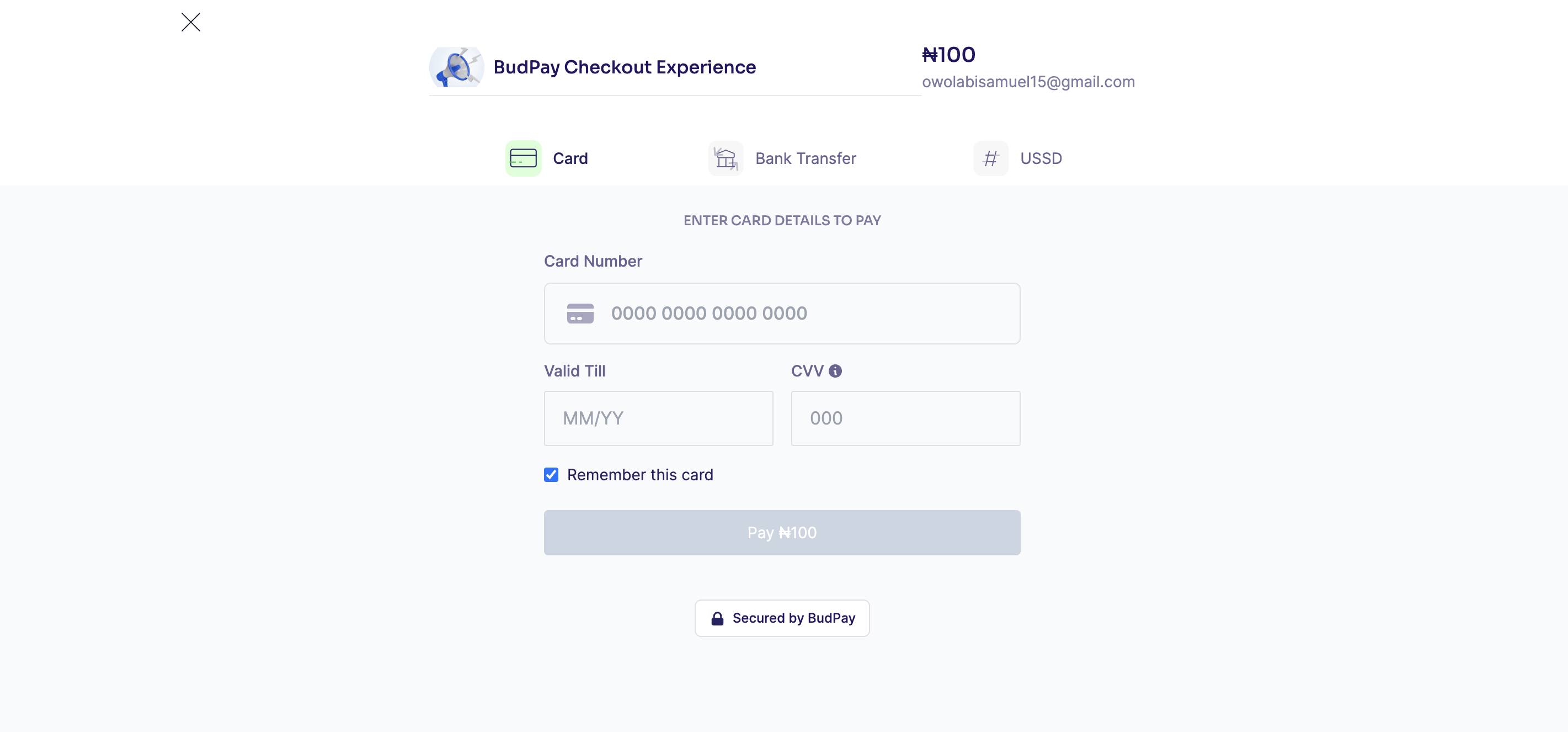
Finally, redirect the user to the authorization URL data.authorization_url you received in the response. This will take the user to BudPay's payment page where they can complete the transaction.

Payment Checkout
Step 4: After Payment

Once your customer completes the payment, these actions are going to happen:

  • Redirect to Callback URL: BudPay will redirect the customer back to the callback with reference and status attached to your callback URL (if provided).
  • Webhook: BudPay will also send a webhook, if you have that enabled to the URL with the transaction details, Learn more about webhooks and its usage here.
  • Email Notification: BudPay will send you an email notification with the transaction details.
  • Email Receipt: BudPay will send an email receipt to the customer with the transaction details.

Verifying Transactions

Call the Verify Transaction API with the transaction reference:

GET https://api.budpay.com/api/v2/transaction/verify/:reference

Example Request:

curl https://api.budpay.com/api/v2/transaction/verify/BUD_1673600359168063493 \
  -H "Authorization: Bearer YOUR_SECRET_KEY" \
  -X GET

Example Response:

{
  "status": true,
  "message": "Transaction verified successfully",
  "data": {
    "currency": "NGN",
    "amount": "550",
    "reference": "BUD_1673600359168063493",
    "status": "success",
    "message": "Payment successful",
    "customer": {
      "email": "customer@email.com"
    }
  }
}

Always verify transactions on your server before fulfilling orders. Never rely solely on client-side callbacks or redirects.

Verification Workflow:

  1. Receive callback/webhook with transaction reference
  2. Call Verify API (server-side)
  3. Check status === "success"
  4. Verify amount matches expected
  5. Fulfill order/deliver service

Learn more about verifying transactions.


Handling Webhooks

Webhooks are a way for BudPay to communicate with your server when payment is completed. You can use webhooks to trigger actions on your server, such as updating your database or sending a confirmation email to your customer. Learn more about webhooks and its usage here.